Loka
A food delivery app that takes an order from search to doorstep.
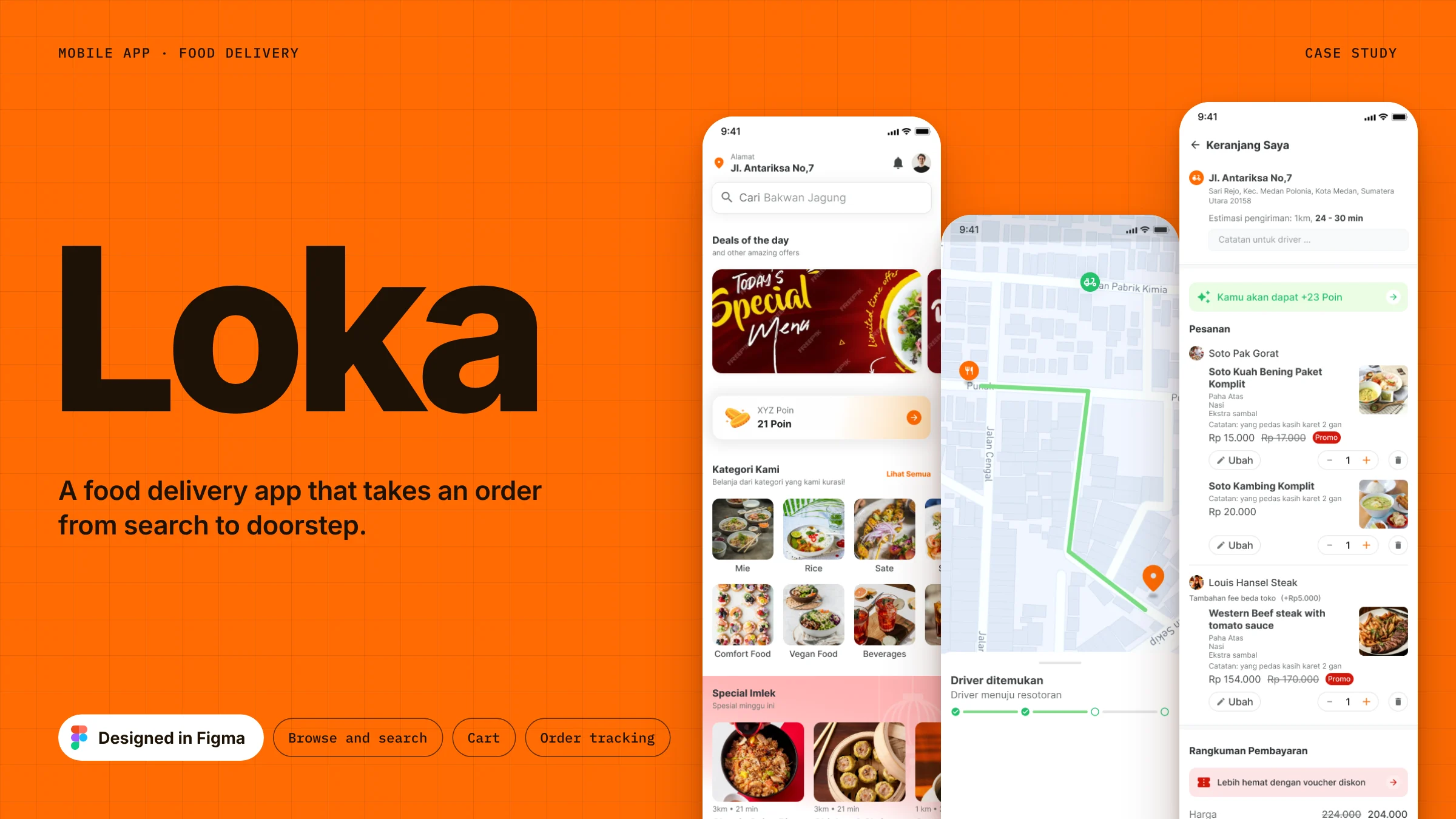 Full page
- Role
- Product designer
- Type
- Food delivery app
- Scope
- From search to delivery tracking
- Tool
- Figma
Loka is a mobile food delivery app. This case study follows one complete order: allowing permissions, finding a place to eat, customizing a dish, checking the cart and following the driver until the food arrives.
Permissions
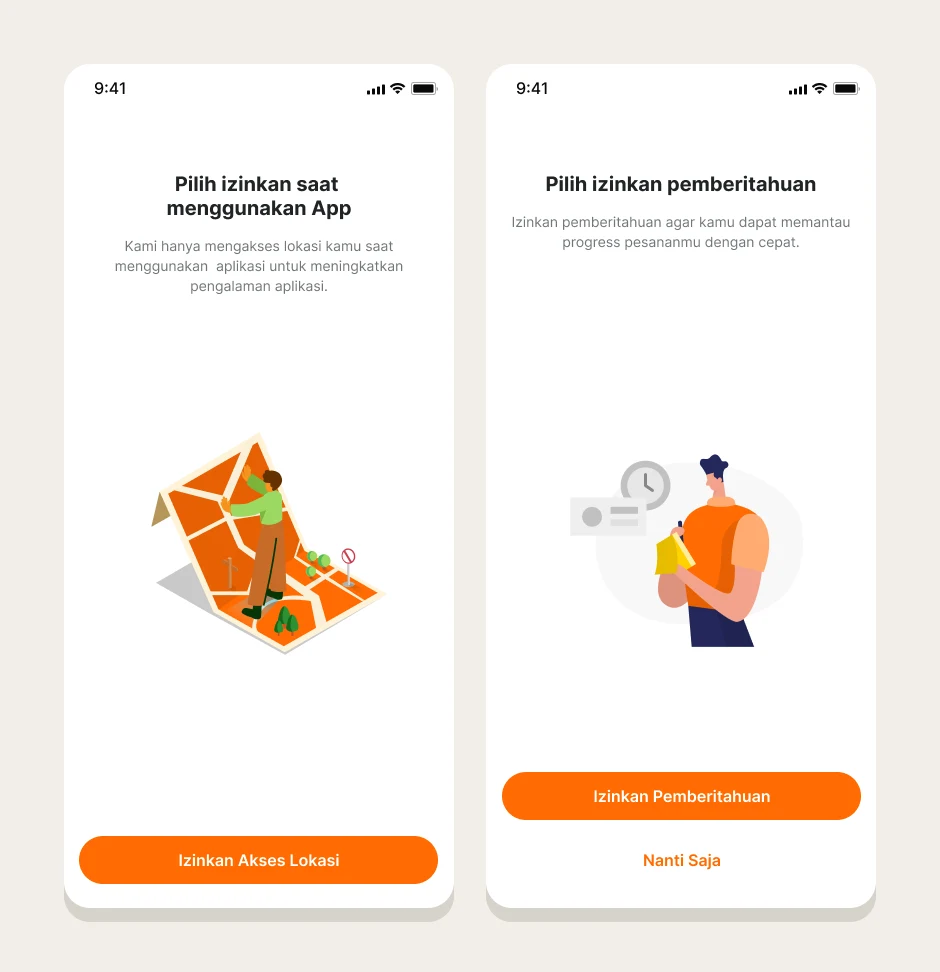
The first two screens ask for location and notification access one at a time. Each says in a sentence what the permission is for. Location is only read while the app is in use, and notifications keep the order progress up to date. Notifications can be skipped with Nanti saja.
 Full page
Home
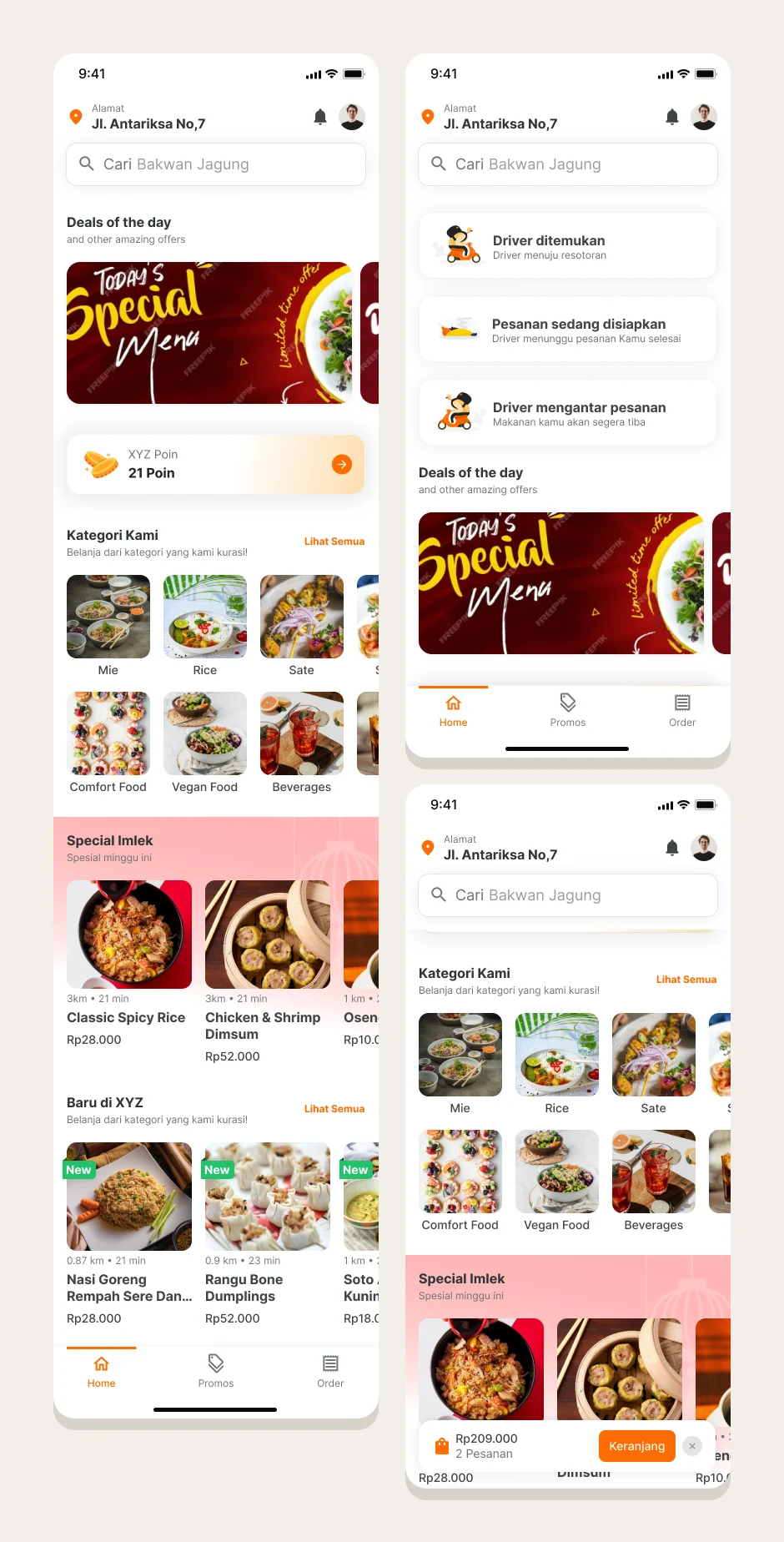
Home starts with the delivery address and a search field, then moves through deals, a points balance, categories, a weekly special and new restaurants. Once something is added, a cart bar floats above the tab bar with the total and the number of orders. While an order is on its way, three status cards at the top show where the driver is.
 Full page
Search
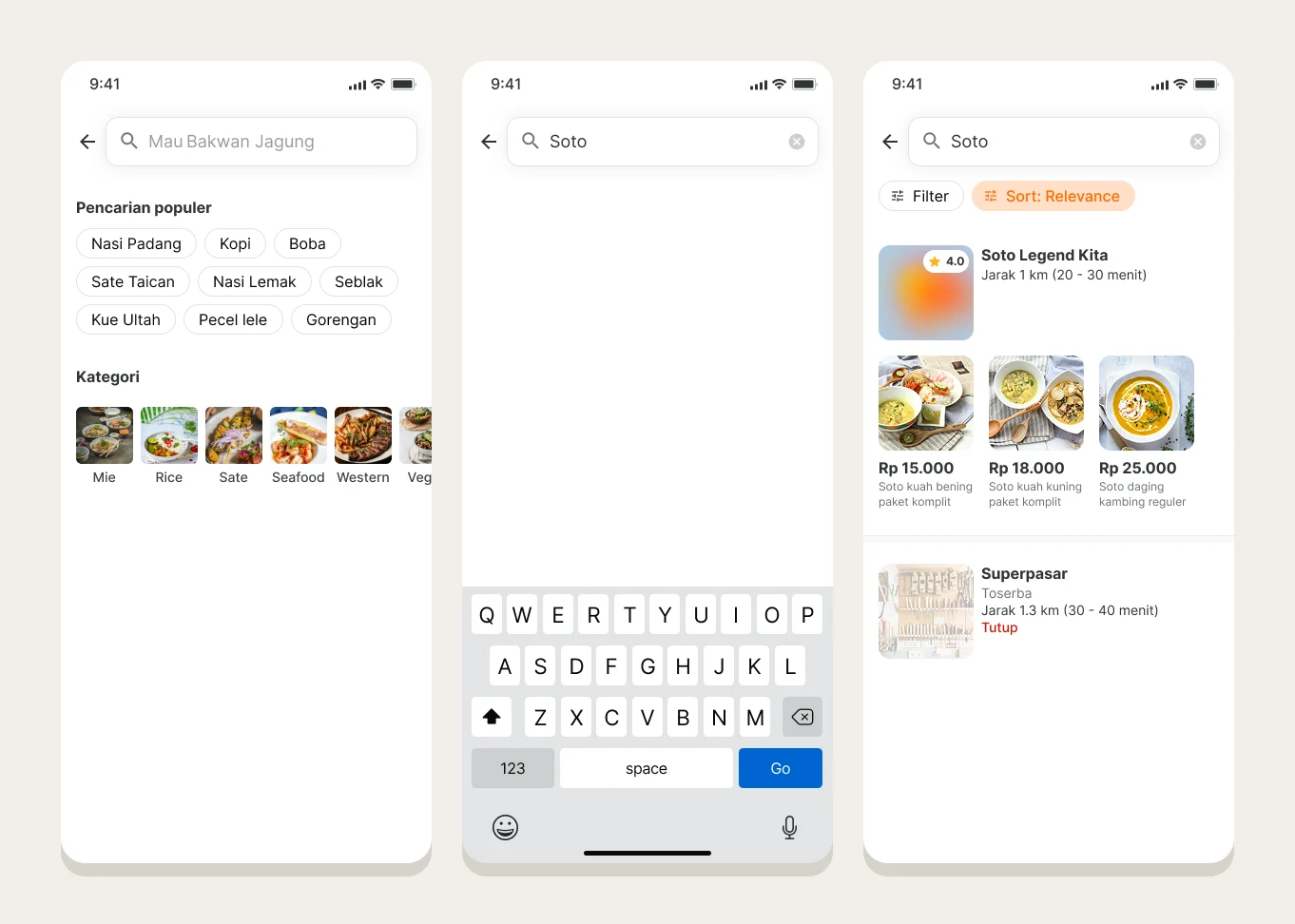
Before typing, search offers popular searches and categories. Results show each restaurant with its rating, distance and delivery time, followed by the matching dishes and their prices. A closed restaurant is marked Tutup. Filter and sort sit above the list.
 Full page
Restaurant page and dish options
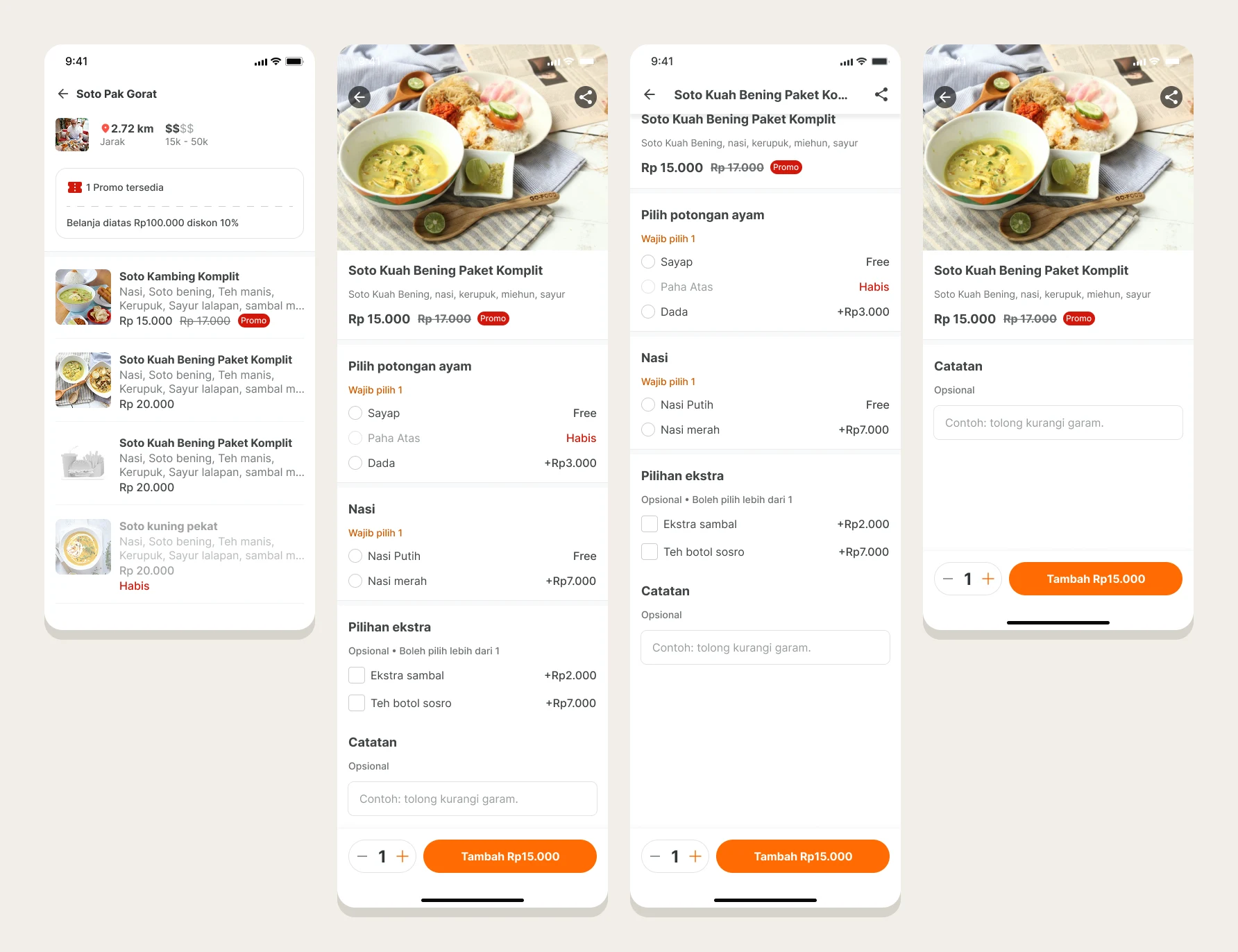
The restaurant page keeps the decision short: distance and price range, the promo that applies, then the menu. Each item has a photo, a short description, the price and a Promo tag where one applies. Sold out items stay on the list, faded, with Habis in red.
Options on a dish are grouped by how they must be answered. Required groups, such as chicken part and rice, say Wajib pilih 1. Optional extras can be combined, and there is a note field. Options that are sold out stay visible and say Habis. The bottom bar holds the quantity stepper and the Tambah button with the price.
 Full page
Cart
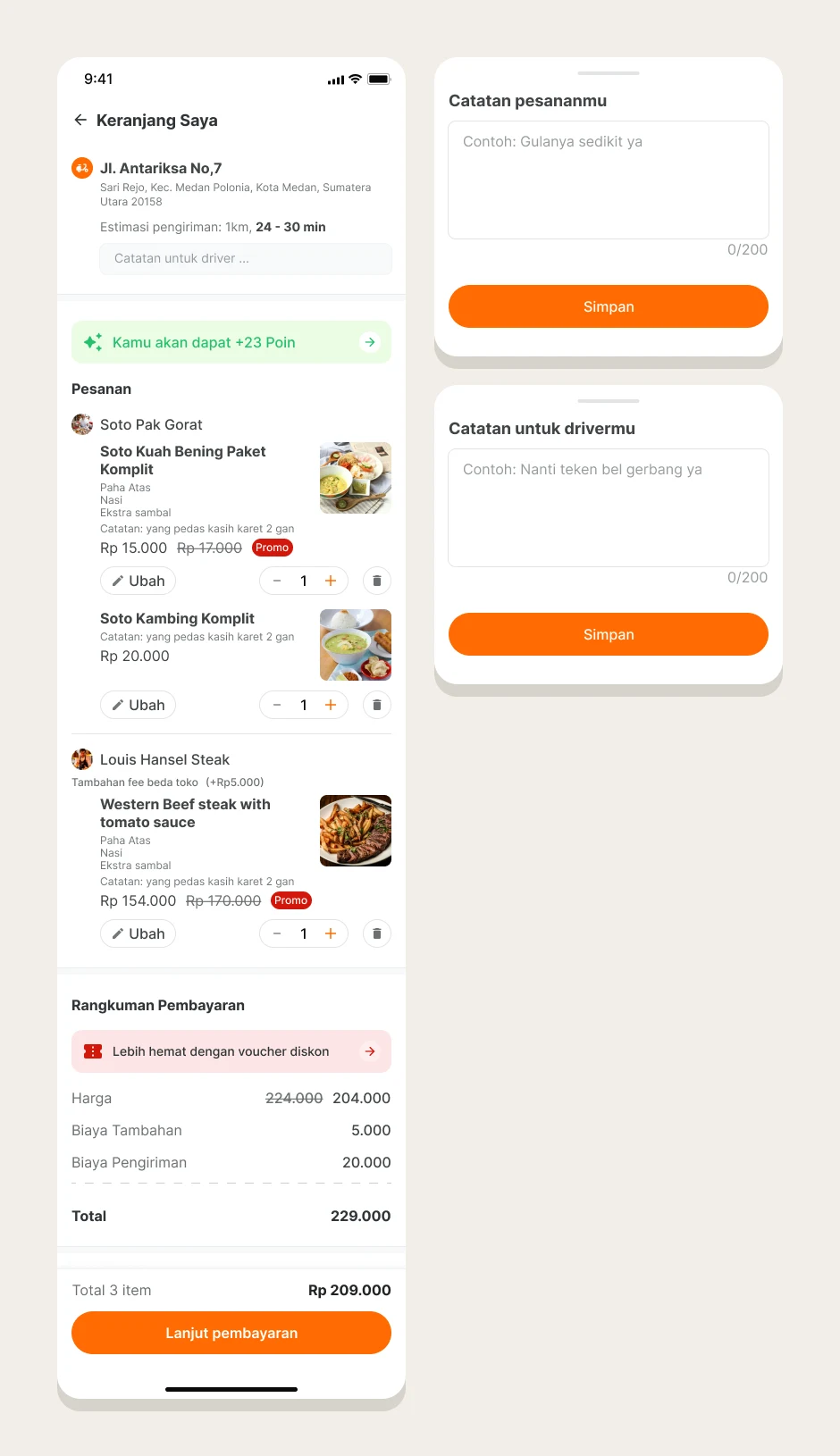
The cart repeats the delivery address and estimated time, with a note field for the driver. Orders are grouped by restaurant. Each item has Ubah, a quantity stepper and delete, plus the options and note that were chosen. A small fee is added when an order comes from more than one restaurant. A banner shows the points the order earns, and the payment summary breaks the price into discount, extra fee and delivery fee before the total. Notes open in a bottom sheet with a 200 character limit.
 Full page
Orders
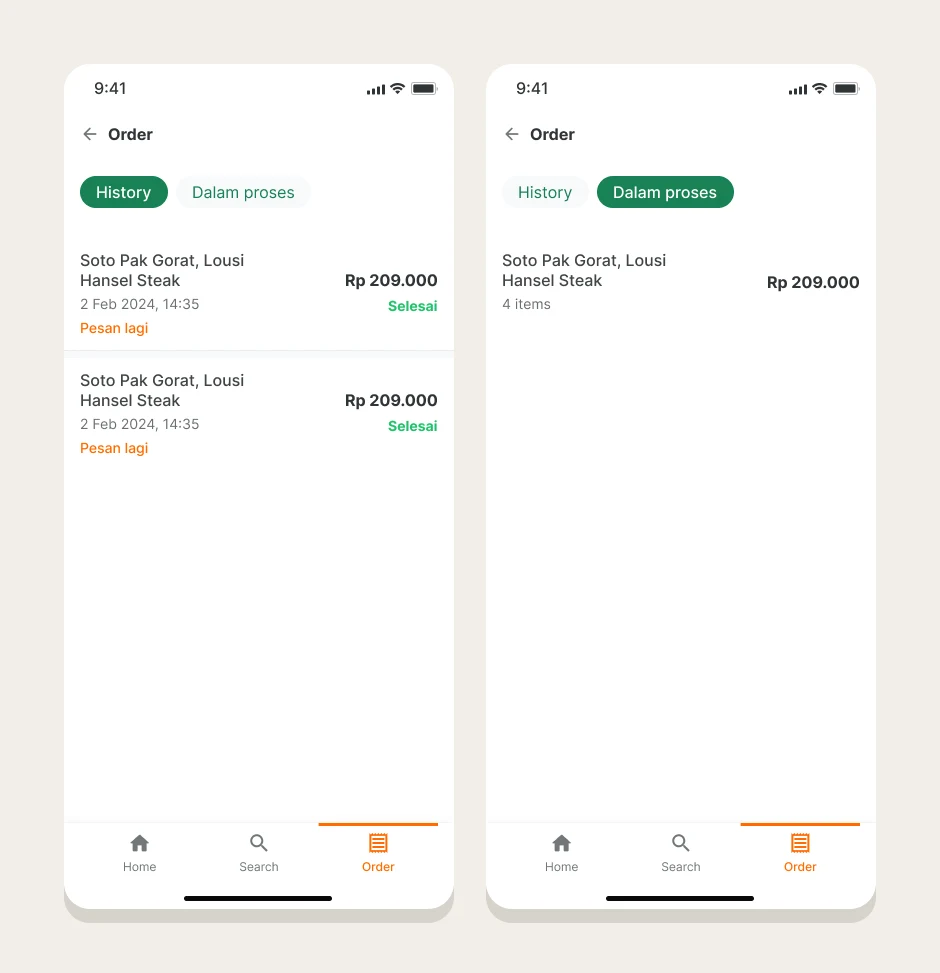
The order list has two tabs, History and Dalam proses. A history row shows the restaurants, the date, the total, a green Selesai status and Pesan lagi to order again. An order in progress shows the restaurants, the total and the number of items.
 Full page
Delivery progress
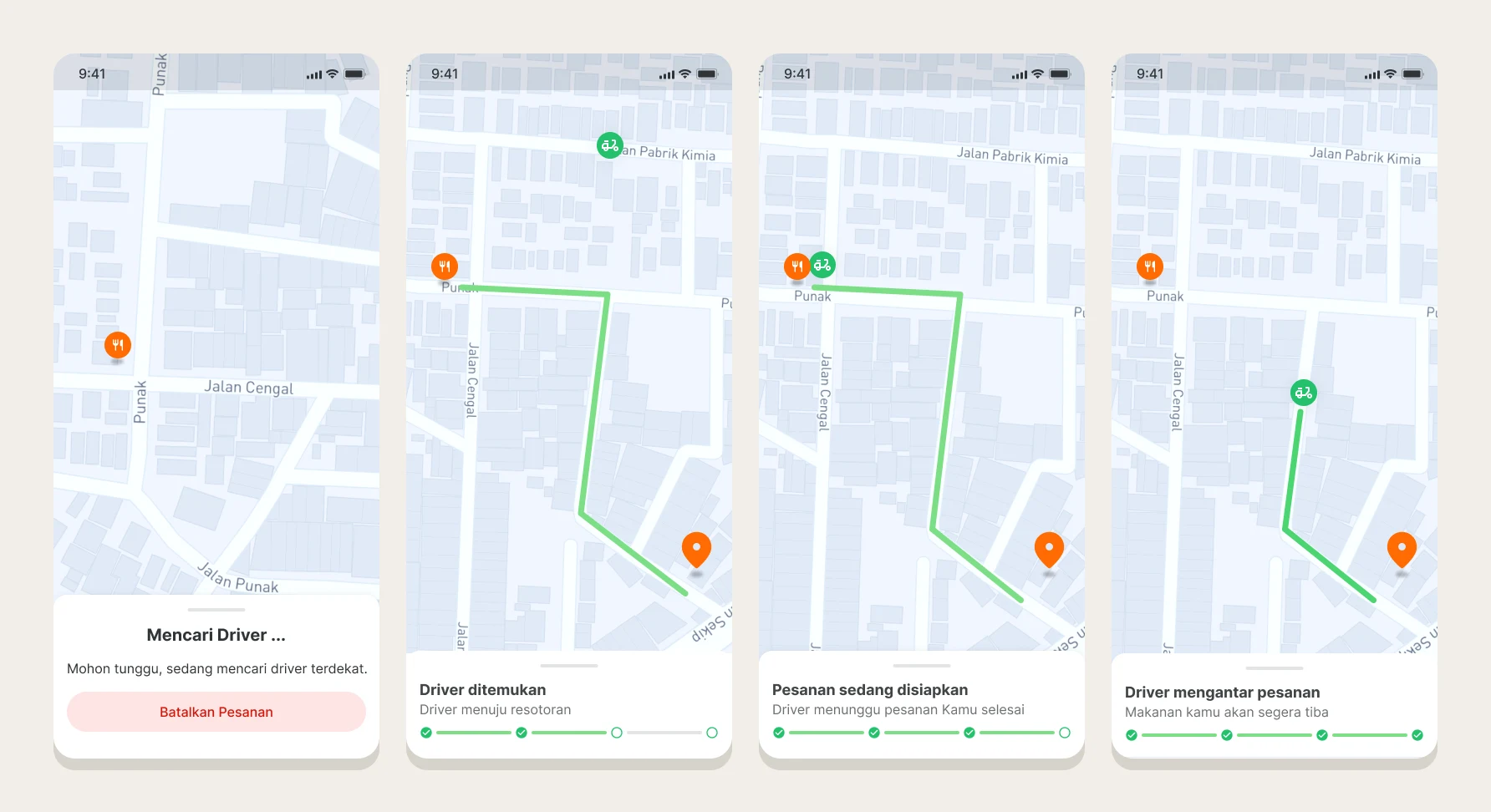
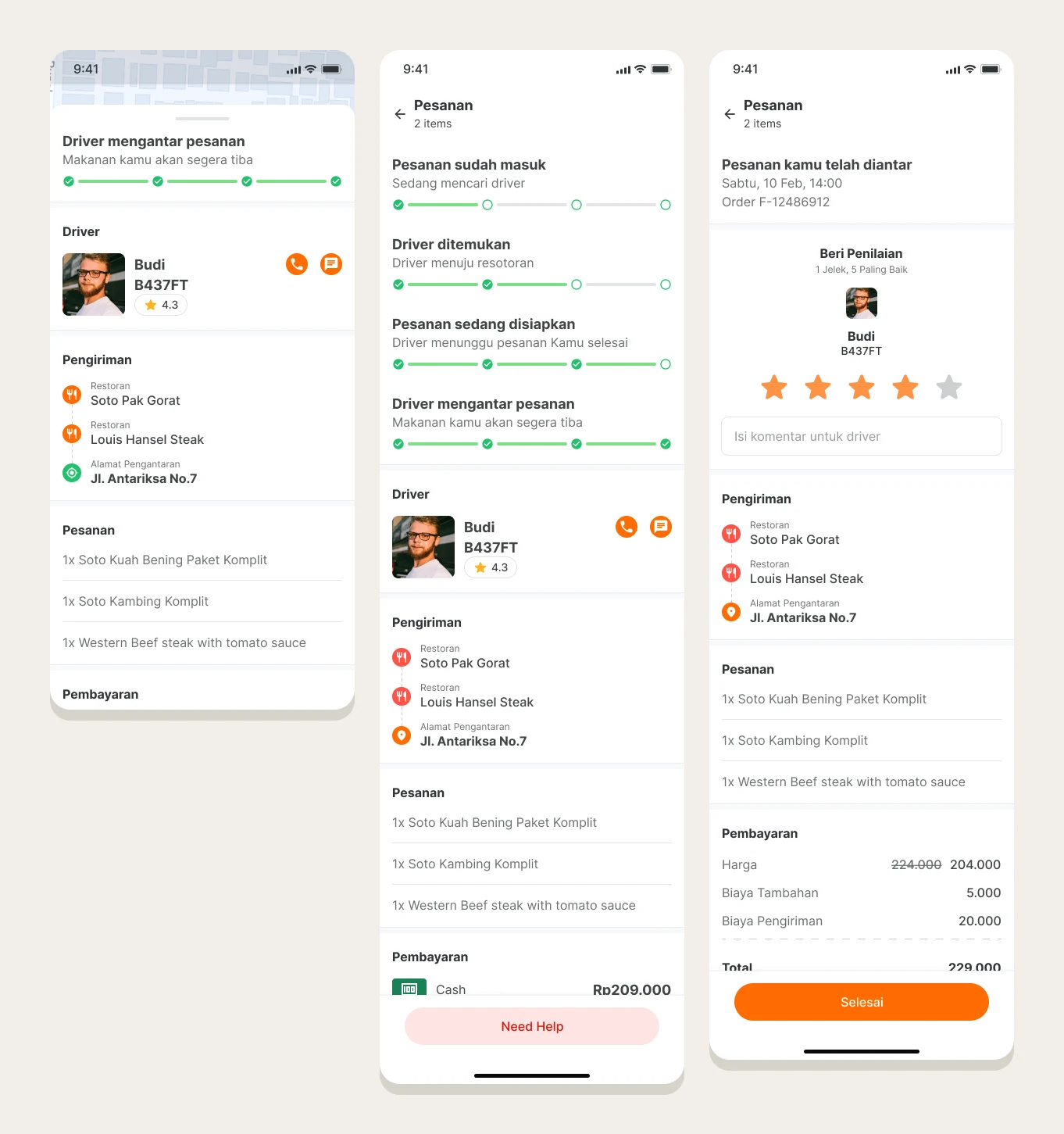
Tracking runs in four steps: searching for a driver, driver found and heading to the restaurant, order being prepared, and driver on the way. The map shows the restaurant, the driver and the route in green, and a bottom sheet carries the current step on a four part progress bar. Cancelling is possible while the app is still searching for a driver.
 Full page
Pulling the sheet up shows the driver with call and chat buttons, the pickup and drop-off points, the items and the payment method. When the order arrives, a rating screen asks for one to five stars and an optional comment for the driver.
 Full page
Color and status
One orange does the action work: primary buttons, the active tab and links. Green is kept for progress and finished states, and red for promos and sold out items. That keeps the colors that mean something from competing with the one that asks for a tap.